01 / Operations
Forms & internal tools
Capture information once. Use it to create jobs, route approvals, and track ownership without repeated data entry.
Job intake · Quotes · Approvals
Explore workflow automationIndependent software engineering
I build forms, workflows, and connected tools that reduce repeat data entry, organize client follow-ups, and make equipment issues easier to track.
A short conversation, then a scoped, paid pilot if there’s a fit.
Before Email + spreadsheet
After Form + work queue
Before Separate email threads
After Shared client portal
Before Manual equipment checks
After Telemetry + alerts
01 / Services
A few ways custom software can support everyday operations.
01 / Operations
Capture information once. Use it to create jobs, route approvals, and track ownership without repeated data entry.
Job intake · Quotes · Approvals
Explore workflow automation02 / Client systems
Give clients a shared place for onboarding, documents, and progress, with updates linked to each stage of the work.
Client portals · Onboarding · Follow-ups
Discuss a client workflow03 / Connected equipment
Collect readings from equipment or software, track changes, and connect alerts to a maintenance or support workflow.
Device health · Dashboards · Alerts
Explore connected systemsIllustrative interfaces with sample data. Scope depends on the workflow.
02 / How it works
A small, paid pilot gives your team something practical to evaluate before deciding what comes next.
Walk through your current tools, the repeated work, and where time gets lost. Choose one useful result to focus on.
Review a written scope, price, timeline, and success criteria. You approve these before any paid work begins.
Try the pilot on real work and review the result together. Then decide on rollout, handoff, or further support.
Example pilot
A service request form that creates a job record and notifies the right person.
Review the time spent re-entering requests and whether handoffs are being missed.
03 / Selected work
Applications, automation, and connected equipment I’ve built or contributed to.
Application & integration development · Implemented internal tool
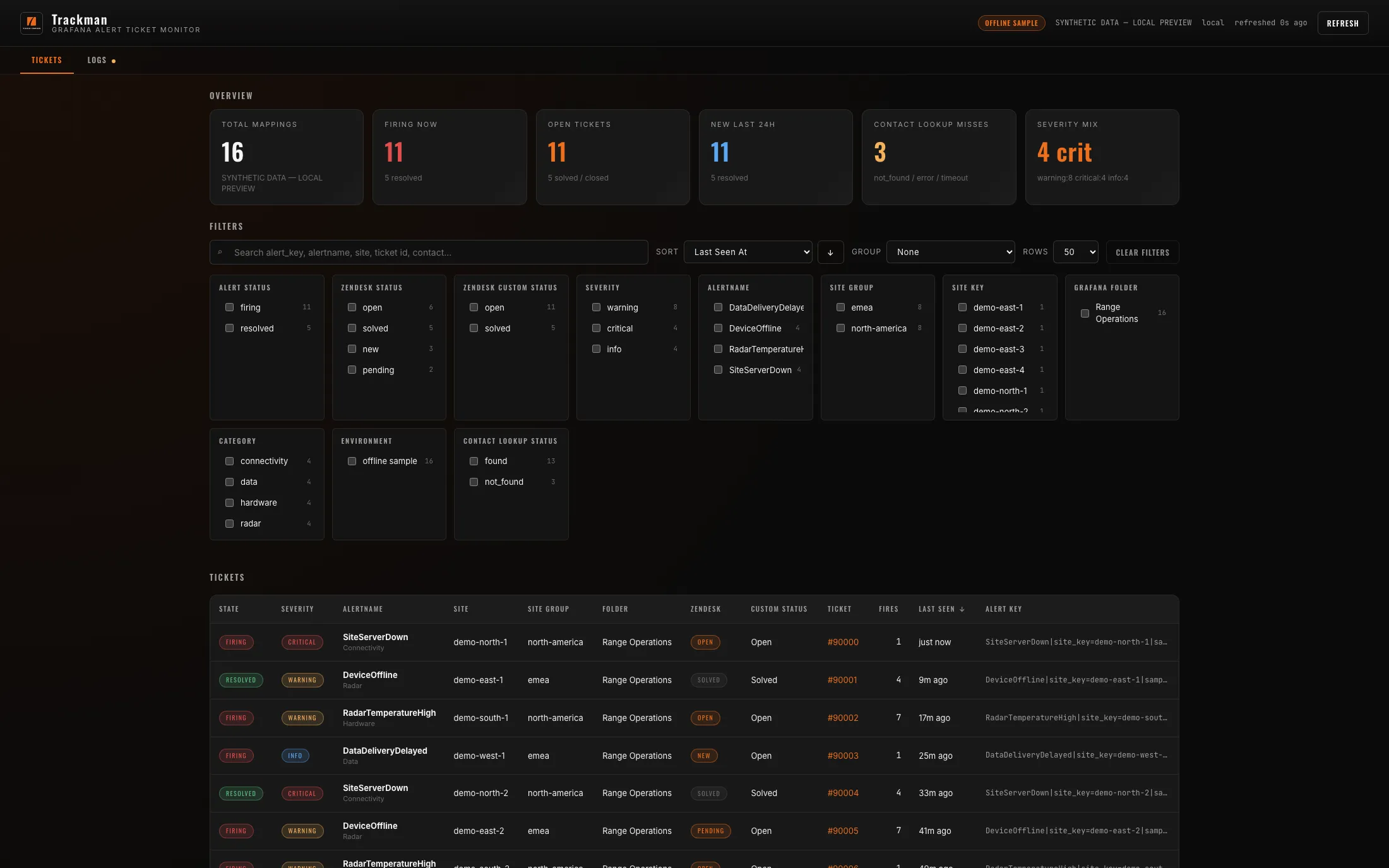
 Python
 AWS
 Grafana
 FastAPI
Application design & development · Internal beta
Python TypeScript
 ReactFastAPI
Device, cloud & desktop development · Engineering / bench stage
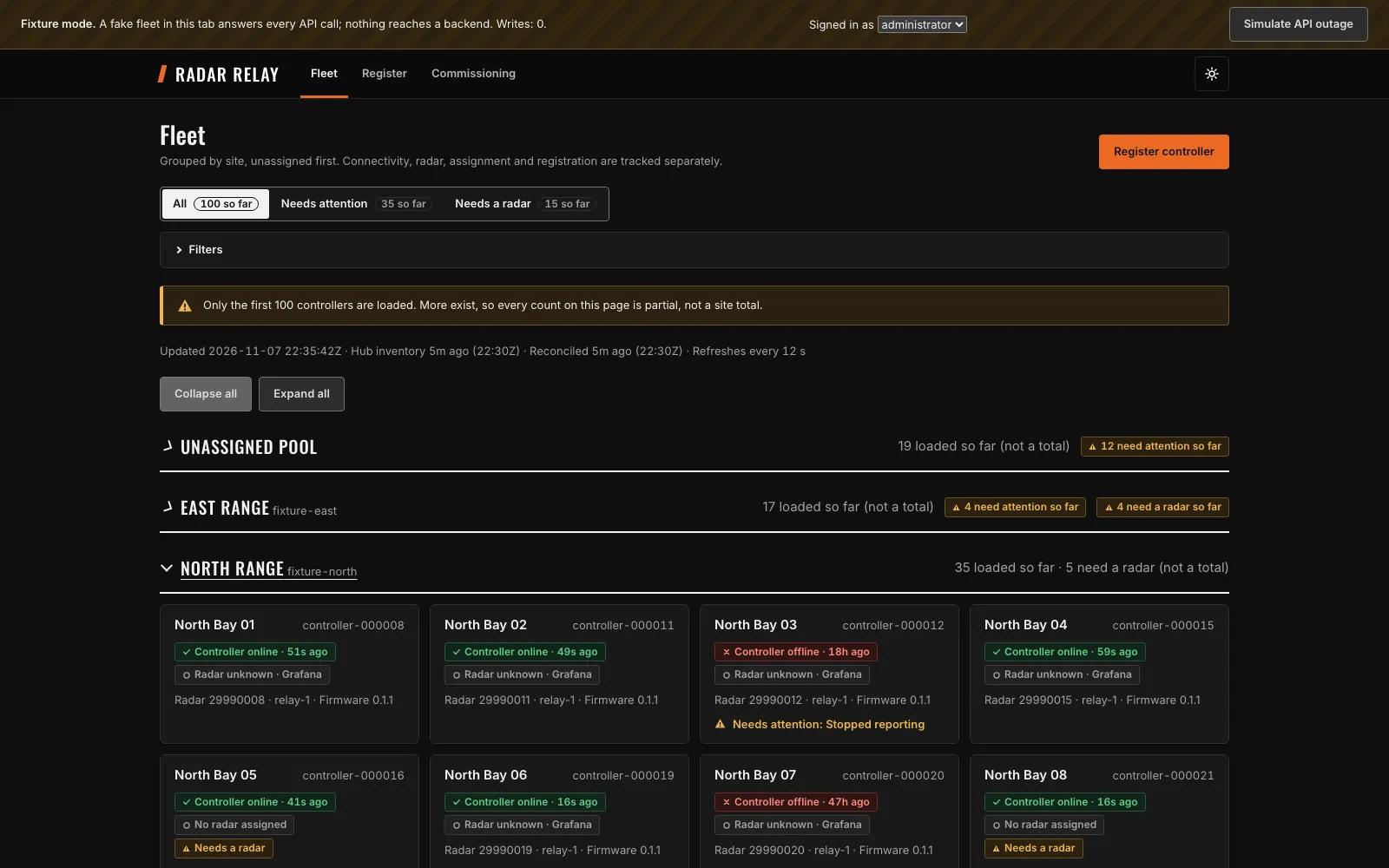
 C++
 AzureTypeScriptReact
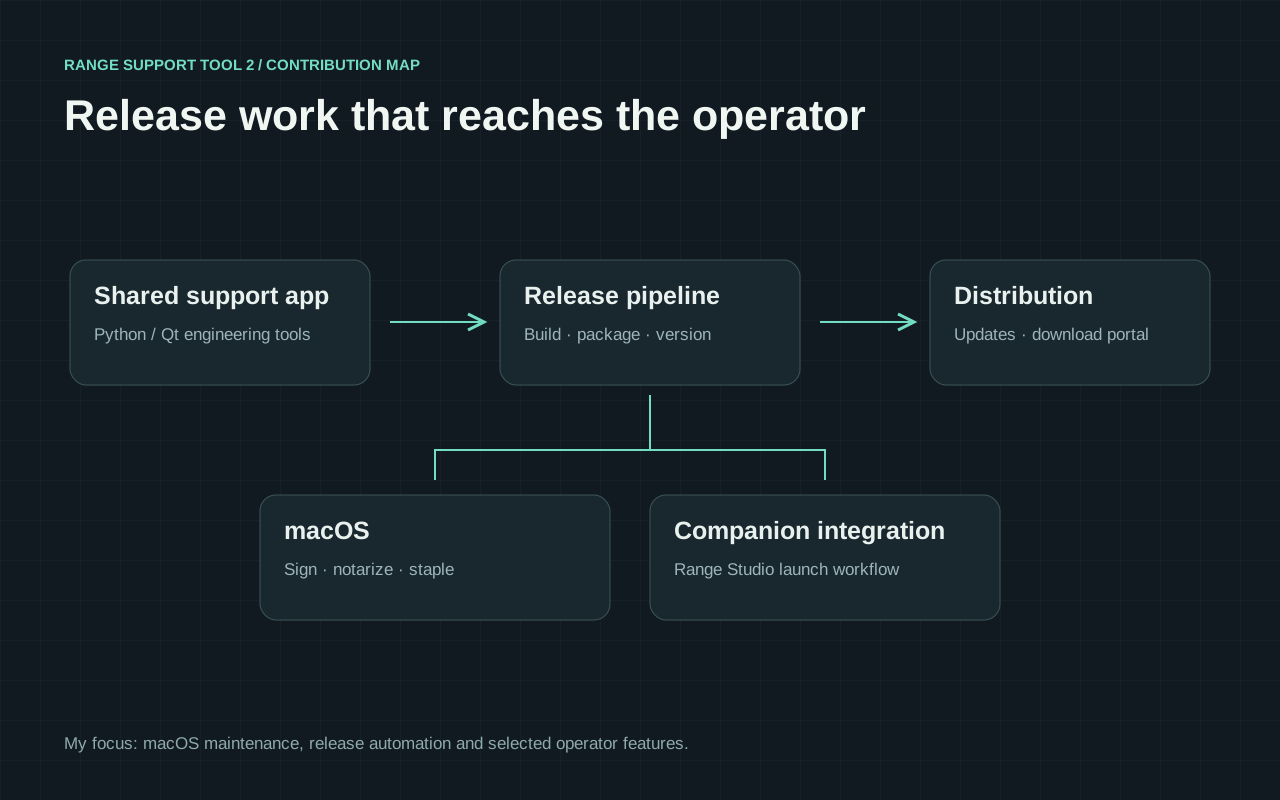
Contributor & macOS release maintainer · Ongoing maintenance
My contribution: I added radar API controls, including onboard camera exposure, and maintain macOS releases and the automated beta release pipeline (CI/CD).
 Python
 QtAzureAWS
Application & calibration workflow development · Research prototype
Python OpenCVReactFastAPI
Professional in-house work and contributions, separate from Studio client projects. Each case study explains my role and the project’s status.
04 / Integrations
The workflow determines the tools. Forms, existing software, and equipment can share data through APIs and automation.
Example tools
PythonCustom logicAWSCloud services PostgreSQLData storageGrafanaMonitoring
Tools are selected for the integration, data, and hosting requirements.
Engineering across the whole system
Application interfaces, data pipelines, and field equipment designed around the people using them. Integration includes monitoring and a defined way to handle failures.
Design, integration, and support across application and field systems.
Owners, office staff, and technicians.
Forms, work queues, and status views.
Data shared between business systems.
Workflow rules and exception handling.
Device health and remote diagnostics.
Readings, requests, and updates move between layers.
Python, TypeScript, React, FastAPI, and ASP.NET Core for useful interfaces and service APIs.
AWS Lambda, SQS, DynamoDB, API Gateway, AWS IoT, Azure services, webhooks, and event-driven workflows.
Document extraction, structured validation, assisted diagnostics, and tool-driven workflows with human review where it matters.
MQTT, Raspberry Pi, Linux, telemetry, remote configuration, networking, and connected equipment workflows.
OpenCV, camera calibration, coordinate transforms, Three.js, terrain data, and interactive 3D visualization.
Observability, actionable alerts, deduplication, retries, integration tests, and clear operational handoffs.
Implementation depends on the existing systems, access requirements, and operational constraints.
Example implementations
Select a process to view one possible implementation.
Manual data entry
When an emailed request becomes a spreadsheet row, then a job record, the same information gets handled repeatedly. A connected intake workflow can do the copying and leave the decisions with your team.
A shared intake queue that reads structured forms or documents, flags missing information, and prepares a job for a person to approve. AI can help with messy documents; rules handle predictable fields.
People approve uncertain details before anything is committed to your business systems.
Example: specialty repair shop
Missing serial number — confirm with customer
Next: confirm details and create work order
Concept interface · Synthetic data
Disconnected systems
Your quoting tool, inventory system, and accounting software may each work well on their own. The friction appears between them, when someone has to carry information from one to the next.
An integration that passes approved records between the tools you already use, tracks each handoff, and makes failed updates visible instead of silently losing them.
Duplicate checks, retries, and a clear exception queue keep a small error from becoming a larger one.
Example: fabrication workshop
Each step recorded in the activity history
Next: production team picks up the work order
Concept interface · Synthetic data
Equipment visibility
A disconnected device or an unexpected reading should lead to a useful next step. Put equipment health, recent activity, and service history together so the person responding has context.
An equipment dashboard with fresh-versus-stale readings, meaningful alerts, and maintenance context. Remote actions can be added where the equipment and operating procedures support them.
Telemetry age stays visible. Remote controls require explicit permissions and safety checks.
Example: warehouse maintenance
One open incident · repeated readings grouped
Next: inspect the unit using the linked checklist
Concept interface · Synthetic data
Scheduling & updates
When work moves between the office, a technician, and a customer, updates can end up scattered across messages. A shared job record helps everyone work from the same information.
A lightweight job board that connects requests, estimates, availability, and customer updates. Start with one workflow, then expand around the way your business actually schedules work.
A person approves estimates and schedule changes. Customer messages follow agreed rules.
Example: mobile equipment service
Technician checklist and job notes in one place
Next: technician completes the service checklist
Concept interface · Synthetic data

05 / About
My background spans application development, cloud services, and equipment in the field. You work directly with me on design, implementation, and support.
TrackMan · PGA TOUR ShotLink
Computer Science & Engineering · Ohio State
06 / Contact
What does your team repeat, copy between tools, or chase by email? A few sentences are enough. I’ll reply to arrange a short conversation.
If there’s a fit, the next step is a written proposal for one paid pilot.
joe@quinnsoftwarestudio.com Phoenix, Arizona · Local & remote projectsYour details are used to respond to your inquiry. Privacy details